

Audit logs capture every mutation in your workspace, key creation, permission changes, revocations, and more. They're essential for security compliance, debugging, and understanding who changed what and when.
Why audit logs matter#
When something goes wrong, trace exactly what happened and who was responsible.
SOC 2, HIPAA, and other frameworks require audit trails for sensitive operations.
Know when team members create, modify, or revoke keys, especially in shared workspaces.
Figure out why a key stopped working or when a permission was changed.
What's captured#
Every mutation is logged automatically:
| Category | Events |
|---|---|
| Keys | Create, update, revoke, delete, verify (failures) |
| Keyspaces | Create, update, delete |
| Permissions | Create, update, delete, attach to key, remove from key |
| Roles | Create, update, delete, assign, unassign |
| Rate limits | Create namespace, update limits, set overrides |
| Workspace | Member added, member removed, settings changed |
Accessing audit logs#
- Sign into the Dashboard
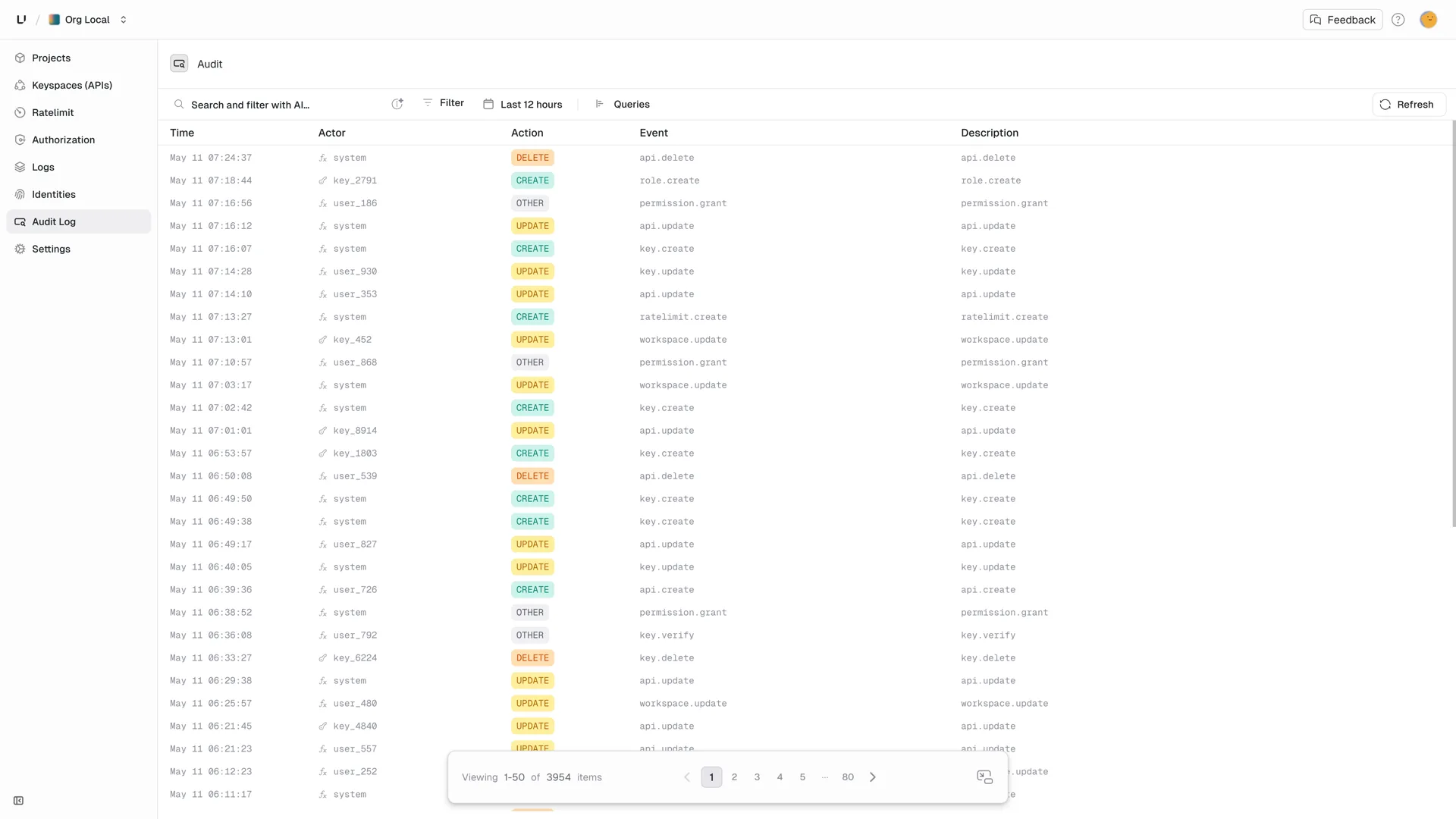
- Click Audit Logs in the left navigation
Reading the log#
Each entry shows:
| Field | Description |
|---|---|
| Time | When the change occurred |
| Actor | Who made the change, a user (dashboard) or root key (API) |
| Action | The operation: Create, Update, Delete, etc. |
| Event | What was affected: key, permission, API, etc. |
| Description | Human-readable summary |
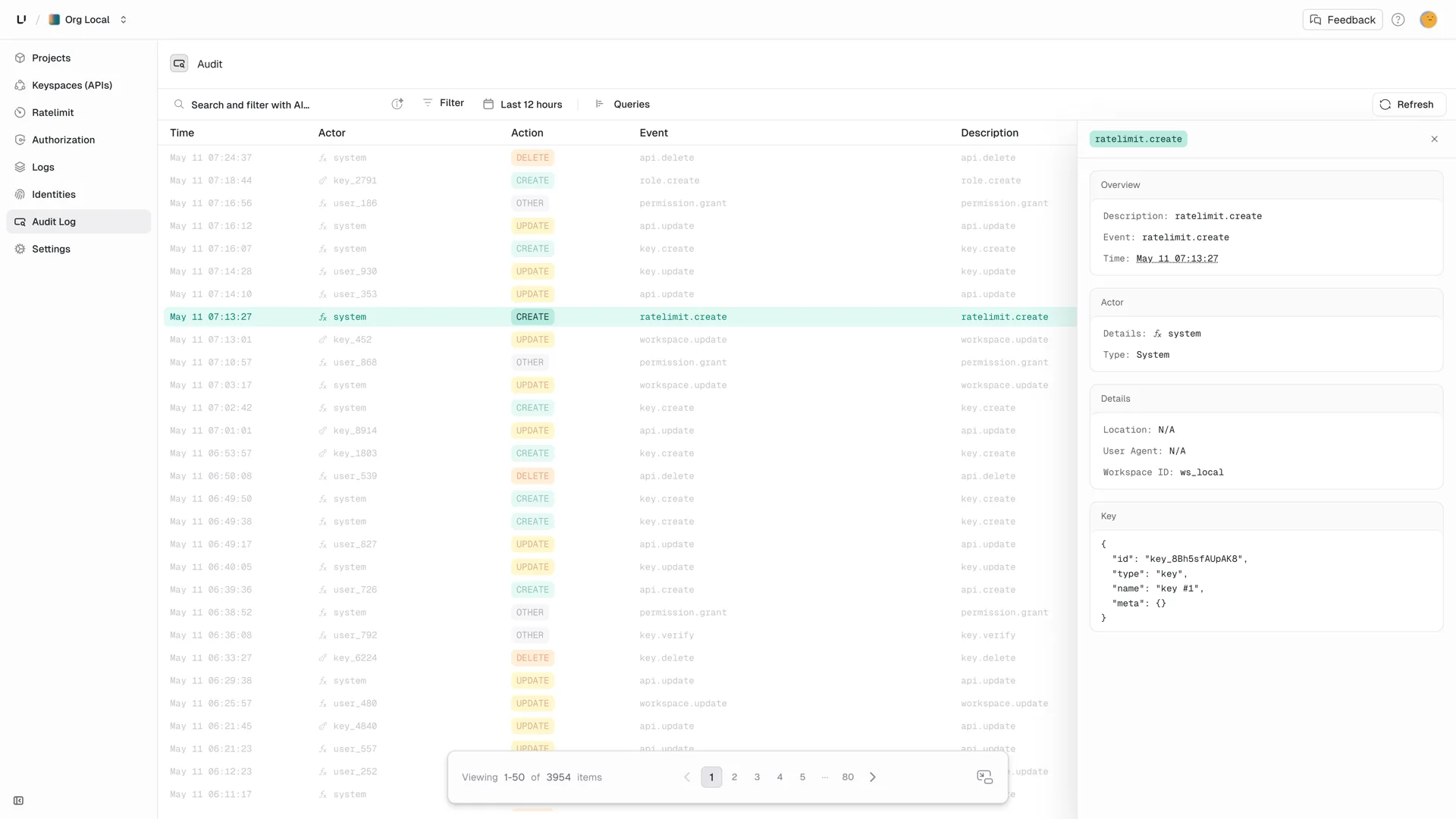
Click any row to see full details, including the complete request/response payloads:
Filtering logs#
Use the filters at the top of the audit log page to narrow down:
- Event type: Show only key events, permission events, etc.
- Actor: Filter by specific user or root key
- Time range: Focus on a specific period
Retention#
Audit logs are retained based on your plan:
| Plan | Retention |
|---|---|
| Free | 7 days |
| Pro | 90 days |
| Enterprise | Custom (up to unlimited) |
Need longer retention? Contact us about enterprise options.